Works with your favorite tools


Organize an hour of recordings with one click!
Start recording with AI for free. From transcription to summaries, tasks, and sharing.
Works with your favorite tools

 +2Public9/30/2025 11:30 AM57m
 Speaker 10:08
Hi, thanks for making the time. Today I'd like to walk through how Callabo could fit into your actual sales workflow.
Speaker 20:31
Nice to meet you. Outbound is a big part of our sales, so our biggest concern is capturing customer meetings without missing anything.
Speaker 11:05
Do you mostly run meetings on Zoom or Google Meet?
Speaker 21:12
Yes, mostly Zoom, and some on Google Meet. I was wondering if both are supported.
Speaker 11:40
Both are supported. A recording bot joins the meeting, transcribes the conversation, and right after it ends you get a summary and action items.
Speaker 32:26
Right now we manage leads in Apollo and log deals in Pipedrive. With more tools, we keep entering the same things twice.
Speaker 12:58
That's why teams use the Pipedrive integration a lot. When a meeting ends, the summary is saved to the deal automatically.
Speaker 23:47
I like the notes feature. Finding what I jotted down during a meeting later has always been the most tedious part.
Speaker 35:20
Can phone calls be recorded too? Our team often books the first meeting over a call.
Speaker 15:41
You can record calls in the mobile app. Some details depend on your plan and device, so I'll follow up with a summary.
Speaker 28:15
We also use Intercom, so whether a new tool works well with our existing ones will be a key point in our internal review.
Speaker 111:04
I intentionally didn't send the introductory materials at that time. Now that we have the new materials, I will send them to the sales representative.
How can I help?


From startups to enterprises, over 100 teams trust Callabo.
Tens of thousands of meeting hours are safely captured through Callabo.
Experience enterprise-grade security and accuracy—now available to individuals, too.
 ISO 27001
Safely protects the most sensitive meeting data of companies
With just one click, it instantly connects with your company's key collaboration tools,
providing an evolved work experience while maintaining your existing workflow
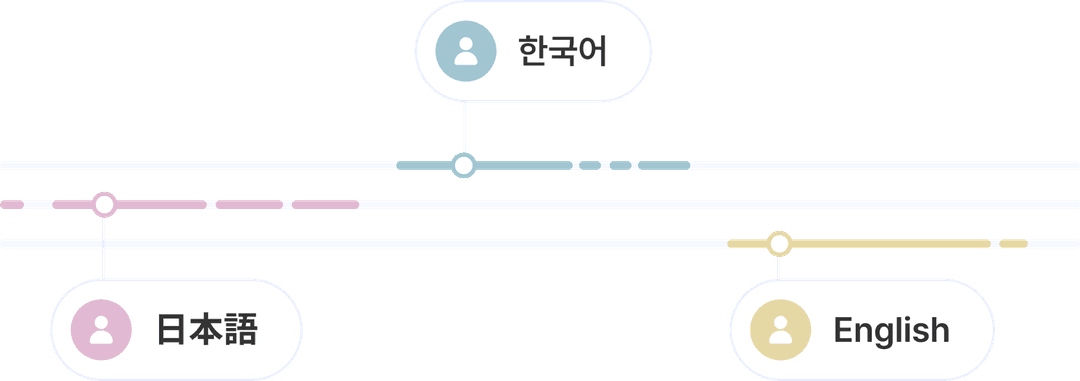
Don't worry about meetings conducted in multiple languages
Callabo automatically recognizes the meeting language and creates meeting minutes
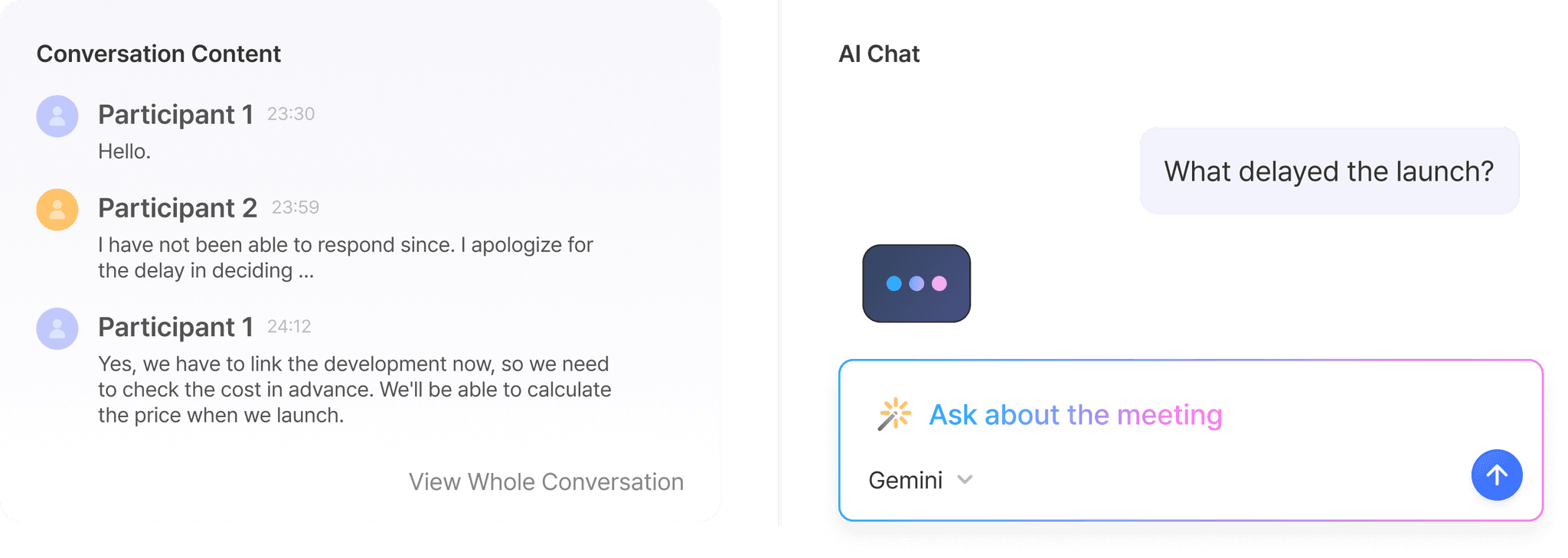
Beyond AI-analyzed meeting insights, freely ask questions to the AI chatbot
and get deeper information with the AI Chat feature
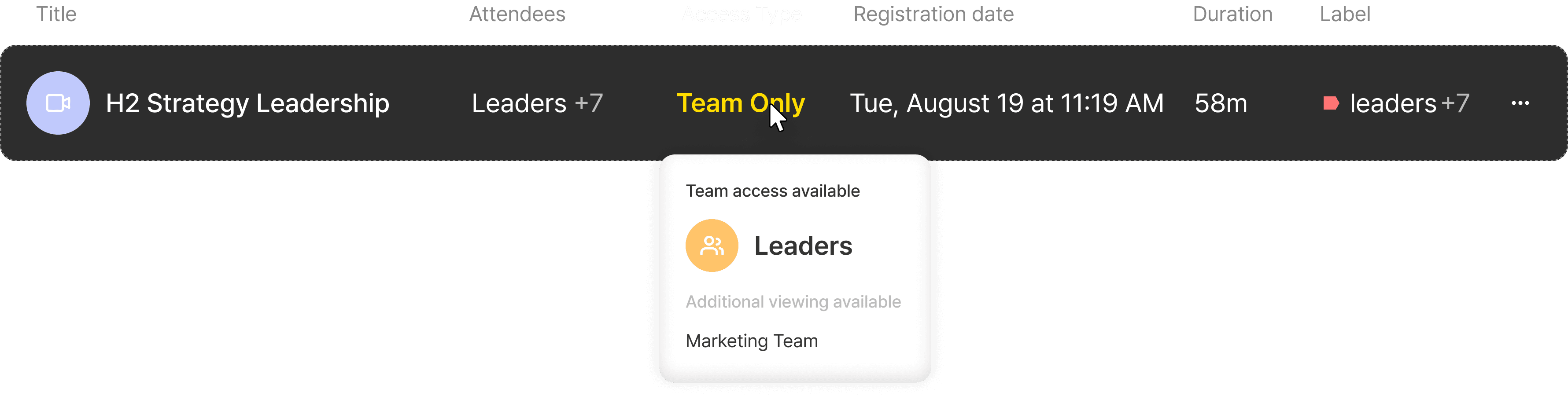
Protect meeting information with team and member-specific permission management features optimized for enterprise environments
You can systematically control access to sensitive information by setting the disclosure scope of meetings
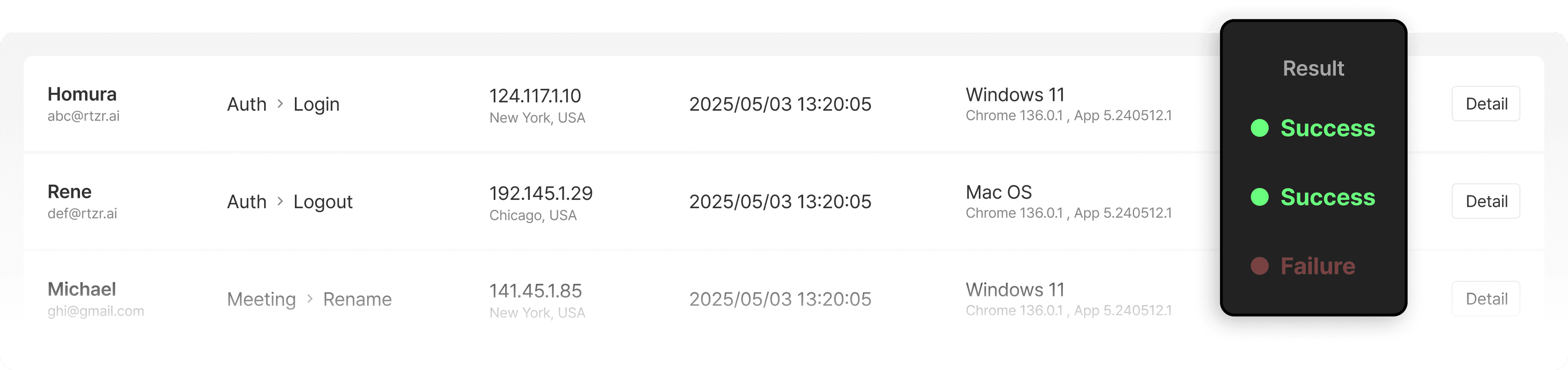
Strengthen your organization's security from multiple angles, from data lifecycle management to account access
Reduce the risk of information leakage by setting whether to storage or delete meeting originals,
and enhance user account security with 2FA (two-factor authentication).
The IP access management feature blocks unauthorized access in advance
to safely protect your company's important information.
Delete original data immediately when needed
and safely preserve only key insights
Add email identity verification process
to enhance login security
Manage the access IP list to allow workspace access only from permitted IPs
to strengthen security
The audit log function automatically records all important activities such as meetings and logins
It detects potential risks such as overseas logins in real-time to enhance your organization's security level


ReturnZero Co., Ltd. (CEO: Chamsol Lee / Chief Privacy Officer: Hyunjong Lee)
6th Floor, Yellow Balloon Building, 31 Supyo-ro, Jung-gu, Seoul

ISO/IEC 27001 Certification for International Information Security
Validity Period: 2024. 12. 26 - 2027. 12. 25
 Public
 9/30/2025 11:30 AM
 57m


